


Designer quick start
DFC Bridge is an agreement about how to read a design file. Figma stores the layout and appearance; stable names and short tags explain the missing meaning. Another person should be able to find these decisions without asking the author.
Start with one real page, not the full specification. The five steps below prepare its basic relationships; the checklist then covers the rest of the handoff.
Why does the team need these details? The visual introduction connects questions to handoff decisions, with real Figma captures.
What the result should answer
Section titled “What the result should answer”The file should make five things clear:
- Which page and state is shown.
- Which prepared widths belong to that page.
- Which layers represent the same element.
- What each link or control does.
- Which content is editable, decorative, or exported.
One small example
Section titled “One small example”Suppose a contact button opens the same contact form on wide and narrow screens. The file should show that these are two versions of one page, with the same button and a matching modal—not two unrelated designs.
Before: the file needs a call
Section titled “Before: the file needs a call”desktop frame-42 heading button
mobile-final-2 group-91 titleThe names do not show whether these are the same page, which elements match, or what the button does.
After: the file explains itself
Section titled “After: the file explains itself”The text before the brackets names the layer. A tag in brackets adds meaning: [page=home] identifies the page, and [action=modal:contact-modal] names the button’s action and target. Tags are part of the layer name, not text displayed in the interface.
home [page=home] [bp=1440] [view=default]  hero [section=home-hero]    hero-title    contact-button [action=modal:contact-modal]  contact-modal [modal=contact-modal]
home [page=home] [bp=375] [view=default]  hero [section=home-hero]    hero-title    contact-button [action=modal:contact-modal]  contact-modal [modal=contact-modal]
A simplified tree excerpt: both widths keep the button and a real modal target. Native Auto Layout and modal behaviour still need preparation.
Prepare the file in five steps
Section titled “Prepare the file in five steps”1. Name the page
Section titled “1. Name the page”Start with the frame that contains one prepared page version: this is the page root. Give it a stable page name, width, and state:
home [page=home] [bp=1440] [view=default]Add [route=/real-path] only when the working route is known. Do not invent an address to fill the tag.
2. Use stable layer names
Section titled “2. Use stable layer names”Use short English names in kebab-case:
hero-titleproduct-gridcontact-buttonUse the same name for the same logical element at every prepared width. You should be able to match hero-title across widths without guessing from its appearance. Do not add -mobile, -desktop, or a width to the name.
3. Show the important widths
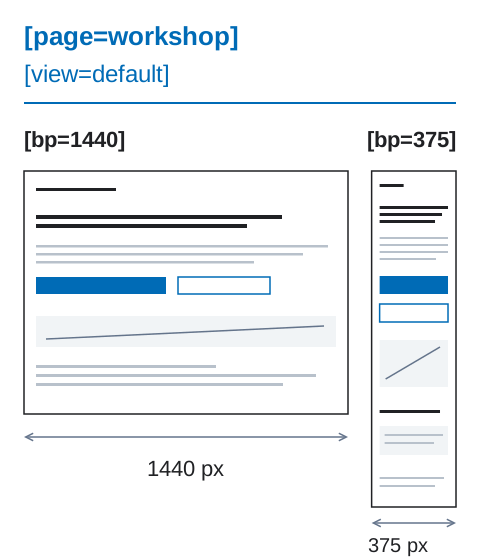
Section titled “3. Show the important widths”Prepare the wide and narrow versions that the team will implement. Keep [page] and [view] the same; change [bp] to the prepared width.
By default, keep the same elements under the same meaningful parents. Size, order within a parent, and visibility may change. A different composition needs an explicit mapping, not new device-specific names.
4. Describe links and actions
Section titled “4. Describe links and actions”Use [href] for navigation and [action] for an interface change:
email-link [href=mailto:sales@example.com]contact-button [action=modal:contact-modal]For a local action, provide the matching target in the declared scope. Here the reader can follow the button’s action to [modal=contact-modal]. If an address or action is still unknown, use [link] or [control] as a draft marker and record the open decision with its owner; do not invent a destination.
5. Check the handoff
Section titled “5. Check the handoff”Ask someone who did not prepare the file:
- What page and state is this?
- Which widths belong to it, and which layers match?
- What does each interactive element do?
- What should remain editable or be exported?
If the answers require a call, add the missing names, relationships, or states and repeat the review. Then use the designer checklist to check the rest of the handoff. Clear names alone do not prove that the layout or implementation is ready.
Add only meaning that Figma does not already store
Section titled “Add only meaning that Figma does not already store”Use native Figma settings for layout, appearance, and component properties; do not repeat them in tags. A stable name such as hero-title needs no extra tag unless meaning is missing.
Data schemas, complex responsive transformations, and detailed behavior belong in the structured bridge contract—not in invented tags or long layer names.
See design rules for the source-of-truth boundary and layer names for naming details.
If you are working inside an existing product
Section titled “If you are working inside an existing product”Start with one new section instead of inventing page metadata for the surrounding legacy file. The team adoption guide explains that separate path after the basic handoff works.